

Boz Imperial Delay Delay Effect – Professional Audio Software & Plugin
₹17,153
● In stockchecking live price…
View on Bajaao store ↗The Imperial Delay comprises a highly versatile dual-layer delay with multi-effects
giving you a range that can go anywhere from smooth and warm vintage delay to Gremlins from hell
or the far reaches of outer spatial.
In the tradition of everyone’s favorite studio gear
Imperial Delay gives you maximum sonic possibilities with a minimum of knob twiddling. While the GUI of Imperial Delay is simple and straightforward
it offers far more creative options than its streamlined front panel suggests. Since Imperial Delay can function as both a delay and multi-effects processor
it’s designed to draw minimal CPU power
which enables multiple instances—something that will come in very handy if you want to dedicate its various capabilities to specific applications such as a lead vocal delay
stereo widening effects
modulation and color
and detune and chorus effects. You can also use it as a distortion generator
or throw caution to the wind and create effects previously unheard by human ears.
Main view
The Delay knob is where the royal edicts of Imperial Delay are carried out. Delay modes include Sync which tracks your DAW project tempo displaying note values (including triplets); Free lets you dial in a delay value from 0.1 to 10s; and Tap lets you tap in a value in the absence of a DAW tempo setting. There is also independent L-C-R channel activation with a mode display. If you click on the mode display it offers six options including standard stereo mode; left/right swap; two mono modes; and two ping pong modes.Offset
Rather than split the interface into two sections with duplicate controls when you select stereo or ping pong modes Imperial Delay has a simple Offset control that as its name implies lets you offset the left and right channel delays (right channel only). Once set the offset maintains at the same ratio regardless of the main delay setting. For example with the delay knob set at 344ms with a 10ms offset (354ms right) if you change the main delay setting to 244ms the right channel will be 254ms maintaining the 10ms offset.Go Deep
While the main control display is easily discernable to those who prefer to forge ahead without reading manuals there are some hidden gems in the advanced settings windows which appear at the selection of button labeled “e.” Advanced settings are available for Drive Feedback Modulation Smear Color Chorus and Duck. When the edit button is selected the relevant controls appear along with a presets button that gives you an idea of the possibilities the advanced section can give you along with the ability to save your custom presets in submenus. There are also some hidden gems in the advanced modes such as the ability to select a chorus effect with 2 4 8 or 16 voices. (So break with tradition and read the manual.)Pitch shift
The Pitch function of Imperial Delay also gives you the ability to independently detune left and right channels. It can create interesting effects as well as doubling. In subtle amounts it enhances stereo width without phase issues. In fact when used with the Chorus effect you can duplicate the Stereoizer* effect found on the tc electronic System 6000 mastering reverb (saving you around $13 000).Effects
Controls for sound design and effects include:List:
- Drive which adds distortion and harmonics to the input signal along with a 20dB overdrive boost.
- Feedback sets how the delay is fed back into itself along with a secondary feedback value that activates when signal drops below its threshold setting
- Modulation which is a short-modulated delay within the feedback loop
- Smear which softens the delayed signal rounding off the sharp edges of echo to act more like reverb which can be very useful for instruments with pronounced attacks
- Color which is a tone-shaping control that adds more color with each feedback pass. It also has a slant filter that enables drastic tonal changes without significant volume changes
- Chorus is a stereo chorus effect that occurs within the feedback loop that can create higher timing variation between voices
- Duck is a compressor that prevents delays from overwhelming the dry input signal
- Width is a straightforward control for stereo widening
- Dry and Wet knobs provide independent control of input signal and effect levels
Features:
- Drive Feedback Duck Color Smear Modulation and Chorus controls with on/off buttons and Advanced Section editing controls with presets
- “Drive” adds distortion and harmonics to the input signal
- “Duck” compresses the delayed output letting you have more extreme delay settings allowing your original dry track shine through
- “Smear” softens the sharp edges of the delayed signal enabling it to functionlike reverb putting it more in the background
- “Offset” delays the right channel; setting becomes a fixed rate relative to the main delay value
- “Color” tone-shaping control adds more color to the feedback signalas it repeats
- “Dynamic Feedback” changes feedback value via threshold (like a gate)
- Advanced section presets let you save individual modifications without changing other settings
- Dual layer architecture with main and advanced controls
- Independent wet and dry level controls
- Sync mode offers three options: Free Sync and Tap
- Delay range of 0.1ms to 10s in Free mode
- Six delay modes
- On/Off for left / right mono channels and center (stereo)
- Feedback with polarity controls to add width or ringing effect
- Presets can be organized into submenus and shared across platforms and Mac/PC operating systems without changing functionality
Requirements:
| Platform | CPU | RAM | Disk | Notes | Additional Requirement | Audio Card | Ports | Internet Required | 32 Bit Support | 64 Bit Support | Plugins |
| mac | 0 | 0 | 0 | 0 | 0 | VST-2 VST-3 AU AAX RTAS | |||||
| windows | 0 | 0 | 0 | 0 | 0 | VST-2 VST-3 AAX RTAS |
Delivery
You may also like

Boz ProVocative Distortion Effect – Professional Audio Software & Plugin
Bajaao
₹5,641

Boz Gatey Watey Noise Gate – Professional Audio Software & Plugin
Bajaao
₹5,641

Boz Manic Compressor Dynamics Processor – Professional Audio Software & Plugin
Bajaao
₹17,153

Boz 10dB Compressor Dynamics Processor – Professional Audio Software & Plugin
Bajaao
₹9,095

D16 Sigmund 2 Distortion Effect – Professional Audio Software & Plugin
Bajaao
₹12,548

Boz Hoser XT 2: Distortion Plugin
Bajaao
₹17,153

Waves H-Delay Hybrid Delay: Hybrid Delay Plugin
Bajaao
₹4,604
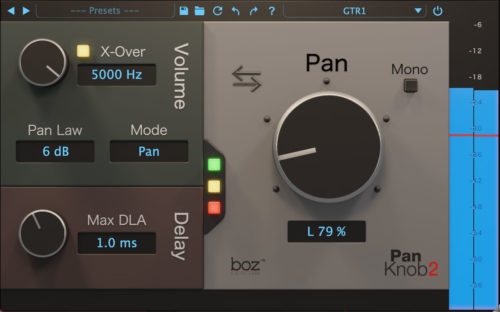
Boz Pan Knob 2 Stereo Imaging Plugin
Bajaao
₹5,641